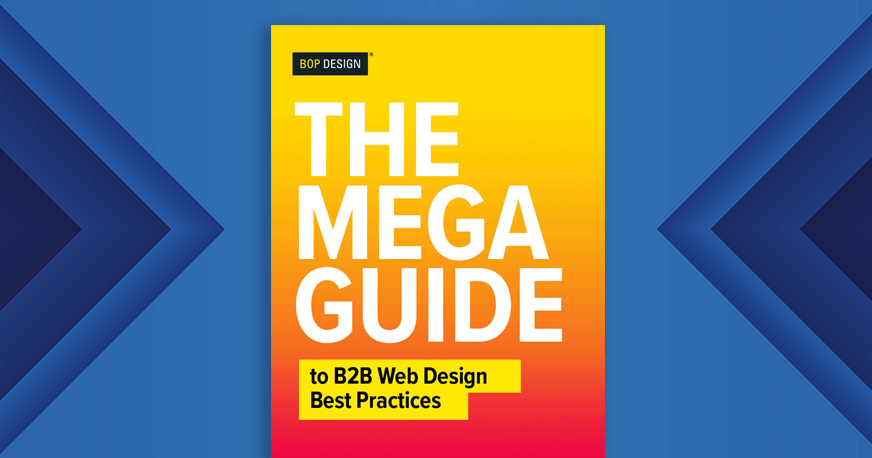
This isn’t an ultimate guide, it’s a mega guide with lots of information to help you build, revamp, or update your B2B website design. Whether you are a seasoned B2B marketer looking to optimize your website or a newbie just getting started with a potential B2B web design project (or anything in between), this is your guide to all things that matter for successful web design.
What’s Included
- B2B website must-have strategies
- Top web design trends
- Designing your B2B website for SEO and GEO
- Website checklist
- 5 things B2B websites with high conversion rates have in common
Download the Complete Guide (PDF)
B2B website must-have strategies
Your B2B website is the vital core of your brand communications. Your website is often the first interaction ALL your prospective customers have with your brand so it’s crucial to have a website that works for your business.
Here are the top 3 must-haves to ensure your website successful supports your business goals.
1. Strategy to drive high-quality traffic
A beautiful website is not much value unless you are driving high-quality traffic to the website. While a traffic strategy may seem like a no-brainer, after 300 website builds, we’re always amazed at how many marketers worry over every detail of the website design but rarely give much thought to how they will drive traffic.
Your traffic strategy should be multi-pronged – composed of organic search, paid search, retargeting, and referral. Documenting, evaluating, and managing this strategy regularly is also important to grow that traffic over time.
If you’ve been neglecting your traffic strategy, now is the time to give it attention.
2. Growth-oriented design and content strategy
Change is constant. Having a website that is user-friendly with great messaging isn’t enough anymore. A flexible website that can easily be updated is critical to meet business objectives.
When developing a growth-oriented strategy, you want to determine what your website needs now, what it will need 3 to 6 months from now, and what it will need years from now. Implementing a design and content infrastructure to support that growth will help you push changes quicker when the time comes.
3. Strategy for managing inbound leads
Yay – the hard part is over! You’ve got form completions, quote requests, white paper downloads, and chats – now what?
Not all inbound leads are created equal, and not having a strategy for moving them through the funnel can hurt your ROI. Turning leads into long-term client relationships takes time and the collaboration of both marketing and sales teams. Always have a carefully thought out strategy for the lead handling process.
Ask and answer these questions:
- What does the person see when they submit a form? What is the message?
- Who receives a notification of the form submission?
- Is the form submission working properly?
- Are any form submissions going to junk/spam?
- Who is responding to the lead?
- What is the time frame max set for responding to leads? (An hour during business hours?)
- How does the salesperson follow up with the lead (what are they saying) and what are the responses?
- How often does the salesperson follow up?
- When is a lead considered closed?
This is just a short list of questions, but these are essential for ensuring your company has a strategy in place for managing inbound leads. Never assume everything works or that someone is responding. Ask!
Top web design trends
Before we get into the web design best practices, let’s take a look at the top trends that are driving B2B web design and development today and in the near future.
Design that holds attention
Getting B2B buyers to your website is one thing, but keeping them there is quite another. These design trends all focus on keeping visitors engaged with your website.
Scrollytelling
“Scrollytelling” uses cohesive copywriting to tell users a story as they scroll down a page, driving visitors toward important information and CTAs. Pair it with float-in images, type-on text, or parallax and horizontal scrolling animations that are proven to prevent skimming and reduce bounce rates.
Micro-interactions
These are small, functional animations that provide instant feedback for a visitor’s actions – like animating buttons when clicked or showing loading progress. AI has enhanced these with real-time personalization that adapts based on user behavior. Some examples include smart tooltips when someone hesitates or predictive form suggestions, which create a more engaging and visitor-specific experience.
Clean, flexible back-end design
A flexible, easy-to-use backend lets your internal teams update pages and content without needing a developer. Note this doesn’t mean a “drag and drop” CMS at the expense of essential B2B capabilities. Rather, it means combining a scalable platform like WordPress with a page builder like Elementor for design control and tech stack support.
Content and SEO that emphasize clarity
SEO, AEO, and GEO
SEO is now joined by Generative Engine Optimization (GEO) and Answer Engine Optimization (AEO). GEO creates content that generative AI platforms like ChatGPT and Claude will want to mention and cite as sources. AEO creates content for featured snippets, AI overviews, and voice search.
With more searches ending in zero clicks, ranking well on Google isn’t enough. Content also needs to be easily accessed and used by AI engines through structured data, clear authoritative answers, and digestible formatting like bullet points and FAQs (more on that later!)
Website searchability
Helping website visitors find what they’re looking for quickly matters too. Optimize navigation so visitors can find information by solution, service, product, industry, or role. Breadcrumbs and internal linking also help to guide visitors toward action.
Credibility and trust building
Building trust is more critical than ever as buyer skepticism grows. Including credibility-building content, especially by third parties, increases visitor confidence in your marketing claims. Examples include:
- Testimonials
- Case studies
- Certification badges
- Third-party reviews
- Internal data (such as customer counts or retention rates)
- ESG progress
Legal and compliance details
Data privacy regulations have tightened over the past few years, and buyers are paying attention. A well-designed B2B website combines privacy and legal compliance with accessibility to meet a wide range of visitor expectations while satisfying regional and global standards.
Privacy-first design
Privacy-first web design centers on transparency, consent, and data protection. You’ll want to feature clear data usage consent options, adhere to regional cookie compliance requirements, display relevant security certifications, and include a policy page that lays out your data collection process.
User accessibility
Accessible design shows buyers your brand respects their needs while making it easier for search engines to understand your content. It’s a true win-win. Some accessibility must-haves include ensuring all images have alternative text and that colors meet appropriate contrast ratios. Also make sure buttons and text are easily discernable and video includes captions or transcripts where possible.
Legally sourced images
This may sound obvious, but it matters more than ever as AI-generated imagery raises legal questions around ownership and usage. Only use licensed stock photography from reputable providers (e.g., Shutterstock, Getty, Adobe Stock), which often include indemnification if disputes arise. Avoid using random online images such as unlicensed photos from Google or social media, and be cautious with AI image tools unless the provider offers a clear commercial license.
Analytics capture new success metrics
Data from your B2B website holds enormous value. A properly designed website that’s integrated with marketing and analytics tools should provide you with important data like:
- Incoming traffic: Which channels (social, organic search, AI referrals) drive visits, engagement, and conversions.
- Form fillouts/conversions: Where visitors interact with forms and which get the most attention.
- MQL-to-SQL rate: How many digital leads become sales-qualified leads.
- Pageviews and user journeys: Which pages bring in traffic, hold visitor attention, or lead them deeper into your website.
- Keyword positions: Higher search engine rankings correlate with more traffic, and the same tactics can make your site a top AI source.
- Core Web Vitals: A Google ranking signal that gives you information on page load speed, interactivity, and visual stability so you can optimize accordingly.
Defining your KPIs looks different for every company. Pick your top three to keep your team focused and progress on track.
Designing your B2B website for SEO and GEO
Your B2B website isn’t worth much if it can’t be found. Search engine optimization (SEO) and generative engine optimization (GEO) are the top ways to drive organic traffic to your website. SEO helps your site get ranked in search engines like Google while GEO helps your brand get found in AI chatbots like ChatGPT, Claude, and Perplexity.
While each has their own nuances, SEO and GEO share a similar foundation. And a strong SEO and GEO foundation starts with how your site is designed and structured.
Search and AI engines scan your website, interpret it, and decide whether your brand is credible enough to rank or cite. Getting both right requires intentional decisions at every level of your website. Let’s explore a few.
Clear site structure and navigation
Both search and AI engines evaluate your entire site to determine whether you’re an authority on a topic. A logical, well-organized site structure makes it easier for both search engines and AI platforms to understand what you do and who you serve.
Here’s how you can make your website easy to understand for search and AI:
- Build clear pillar pages tied to your core topics and services.
- Use subtopic content and blog posts to reinforce depth and subject matter expertise.
- Ensure navigation allows visitors to find information in a variety of ways, such as by solution, service, product, industry, or role.
- Use breadcrumbs and internal linking to guide both visitors and crawlers or bots through your content.
Writing (and formatting) for extractability
Generative engines love to extract content directly, so make your content easy to quote and don’t bury key insights deep within your copy. If a paragraph can’t stand on its own as a clear explanation, it is less likely to be cited.
Some tricks for extractability might be including “key takeaways” on blog posts, using descriptive headers that reflect buyer questions, and incorporating FAQ sections with complete, standalone answers.
Schema markup and technical signals
Content is key, but content alone won’t get you cited. Technical signals matter just as much. You’ll want to implement advanced schema markup, such as Article, Service, FAQ, and Organization schema, to give AI engines a structured map of your content and credentials.
Beyond schema, ensure your sitemaps are structured so AI crawlers can index your content efficiently. Consider implementing llms.txt to provide guidance for large language models (LLMs) on how to crawl and use your content.
Clear positioning
Vague language isn’t just annoying to buyers, it repels search and AI engines, too. Your site MUST be clear in communicating exactly who you are and what you do. Avoid ambiguous messaging like “we transform digital experiences” in favor of simple, straightforward language that clearly describes your products or services, the industries you serve, and your target buyer.
Author authority
Both search and AI engines consider the level of expertise and experience your brand (and its leaders) carry. For blog posts and articles, be sure to include author credit rather than publishing anonymously. Then tie them to author bios that include information like:
- Years of experience and specific industry expertise
- Certifications or relevant credentials
- Links to LinkedIn or other professional profiles
B2B web design checklist
For businesses seeking to increase leads and boost sales, building a professional B2B website is important – but it’s not enough. The website must also be optimized to encourage visitors to convert.
Conversion Rate Optimization (CRO) is the well-known term for making updates to a website that encourage these visitors to complete desired actions (like completing contact forms).
Below is a list of essential elements to include in your B2B web design to ensure you are set up for converting visitors into new leads.
Clear CTA
A clear call-to-action (CTA) is essential to get website visitors to perform a desired action, such as filling out a contact form, downloading a white paper, or reading a case study. If a potential prospect lands on your B2B website, they want you to lead them to the information they need to make a decision. Don’t expect them to know what to do next. Guide them. Establish your company as their personal guide to deciding whether you are the right fit to help them accomplish their goals.
The CTA should be immediately visible from any page on the website. The CTA can be at the top, on the right side of the page, and/or at the bottom of the website page. It should be easy to distinguish from the other elements on the page.
CTAs for different stages of the buying process
Not every website visitor is ready to schedule a call or consultation with your sales team. Particularly for B2B buyers, they may often have six or more interactions with your brand before they reach out to make contact. As such, it’s important to give them actions to take at every step of the buying process.
How do you do this? Create CTAs that don’t require much on their part.
- Invite them to sign up for your newsletter.
- Point them toward your blog or resources section for more information.
- Tell them where they can learn more about your products or services.
- Guide them to the information that discusses the features and benefits you offer.
- Let them know where to follow you on social media.
- Advise them to complete an RFP form.
- Show them where your pricing sheet is located.
These CTAs will vary on the types of products or services you sell, but the above list should give you a good idea of what to include.
Straightforward navigation
Even if your company offers a variety of services or products, your B2B website design should include a clean, straightforward navigation. Straightforward navigation gets your website visitor to the information they need as fast as possible. If they can’t find what they need in 30 seconds or less, they will likely abandon your website and go back to their online search.
Creating a straightforward navigation is not easy. Working with an experienced B2B web designer is your best bet since they are well versed in taking complicated service or product offerings and organizing them for website visitors.
Defined services or product offerings
As a web design agency, we’ve seen a lot of websites. Often, B2B companies come to us to design a website that clearly shows their services or product offerings. Their number one complaint we hear, besides having an outdated design, is they don’t feel that their current website showcases their service or product offerings well.
This is not a time to be cute or imaginative with how you define your services or products. You need to be clear and direct. If you offer software for hospitals, say so. There is a difference between service and product offerings and the benefits and features of those offerings. Before you can get into the value of what you offer clients, you need to state what you offer.
Easy-to-find contact information
The websites that convert well have easy-to-find contact information. Even if you want prospects to complete a form on a website, be sure to provide other ways to get in touch with your company. Your B2B website design should include where you are located and a phone number that a live person answers. Prospects may have various reasons for why they need to call you rather than completing a form. Make it easy to get in contact with your company.
Resources section
As mentioned above, prospects may not be ready to set up a call with your sales team. They may be determining their budget, or whether they are ready for your product or services, or they may need to sell internal stakeholders on why they need your products or services.
High converting B2B websites have some form of a resources section. It doesn’t need to have a ton of guides, case studies, blog posts, or other resources. It just needs to have the essential resources your prospects need to make decisions throughout the buying process.
If you have a high-value piece of content, such as a white paper or e-book, don’t be afraid to gate it behind a form that requires a name and an email to access. However, don’t gate all resources, especially resources that are targeted towards the very top of the marketing funnel. Those users are less likely to convert if a form is gated.
Credibility builders
Why should a prospect convert? Why should they trust you?
Show them with credibility building elements. Credibility can be built in a number of ways.
Below are a few ways to build credibility on a B2B website:
- Logos of companies you work with
- Industry associations
- Industry certifications
- Client reviews or testimonials
- Videos of you and your team
- Case studies or use cases of your products and services
The credibility elements you include depend on your industry and the clients you serve. If your industry is highly regulated, government certifications may be important. If your industry is highly competitive, customer testimonials may work better to build a case for why your company is the best fit.
Target audiences
For B2B companies, it’s often crucial to include information about who you serve and who your clients are. Even if you can’t name your existing clients for privacy reasons, it’s important to describe the types of firms you work with.
This can also help with building credibility and trust – prospects like to know that you have expertise in working with firms similar to theirs. For example, if you work with only Biotech firms, indicate that. Ideally, your “Who We Serve” section is clear enough so an ideal prospect says “that’s me!” and then completes a form for more information.
5 things B2B websites with high conversion rates have in common
The more conversions you get on your website, the more opportunities you have to connect to your customers and create a sale.
While we’ve already shared a checklist of what a successful website needs to improve conversions, here, we take a look at specific examples from high-conversion websites.
1. Easy to Complete Forms
Make the initial step of reaching out to your company easy for prospective customers. Try to keep your forms as short and sweet as possible by omitting unneeded information.
Liongard’s B2B website is a great example of how a simple straightforward approach gets prospects excited to request a demo. Remember, users are less likely to commit to filling out a form if they feel like there is a huge time investment. Forms can also feel invasive or sketchy if a user is asked to provide too much information about themselves.
2. Strong CTAs and Strategic Content Flow
It’s really important to guide your visitors through the buying journey by using strategic call-to-actions. Effective, direct CTAs convince users to act and give them a clear path to follow.
They should briefly explain how your product or service will help, then give a clear, easy way to take the next step and reach out.
3. Create Content and Offers for Every Stage of a Buyer’s Journey
Not everyone who visits your B2B website is at the same point in the sales funnel. This makes it extremely important to offer a variety of “offers” throughout your site. The average customer engages with 3-5 pieces of content before talking to a sales representative.
Becoming a solid resource in your industry not only increases conversions, but also makes you a leader and expert in your industry.
4. Create Trust with Third-Party Validation
Adding testimonials, reviews, and logos improves buying confidence. If we say something about ourselves, it is typically taken with a grain of salt. But if someone else says it about us, it is seen as much more credible.
Buyers want to mitigate risk and feel 100% certain that they are making the best buying decision. Third-party validation in a B2B website design gives prospects the confidence to reach out or make a purchase.
5. Faster Website Load Times
A 1-second delay in your site speed can result in a 7% reduction in conversions. Page speed is a critical element of every website. Search engines and AI chatbots penalize sites that load slowly—but more importantly, so do users. They stop visiting, bounce, and don’t buy.
Make sure your B2B website host has well-tuned servers, keep website image sizes as small as possible (without compromising quality of course) and get rid of any third-party scripts that you aren’t using.
Following these 5 steps will help you stand apart from the competition and create higher conversion rates.
We hope this mega guide had several things of interest for you to guide you in the website optimization or build process.
Be sure to check out the Bop Design Blog and Resources section for other helpful B2B marketing and web design tips.
Download the Complete Guide (PDF)